How to make a vision board
To make a vision board, decide what you want from the next year, find pictures that show how it would feel, add a short affirmation for each goal, and arrange it all on one board you’ll see every day. You can do it with magazines, scissors and glue, or in a free app like visionboards.cc that finds the photos for you.
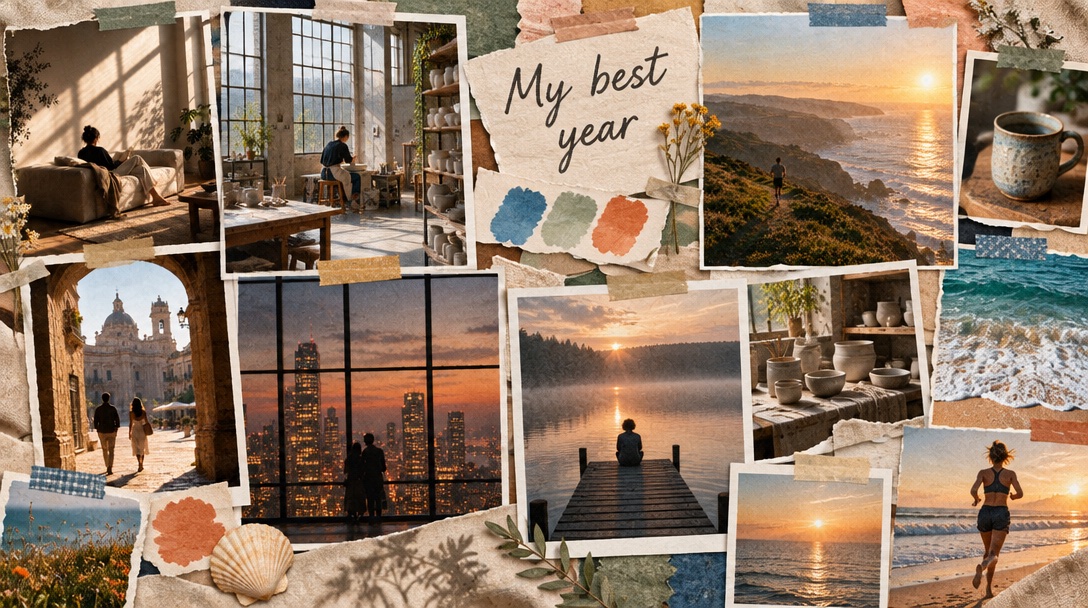
What you need
For a paper board:
- A sheet of poster board, cork board or thick paper
- Magazines, printed photos or postcards
- Scissors, glue or tape, and a pen
- An hour or two with no rush
For a digital board, you need a browser. visionboards.cc finds the photos and writes the words for you, so you can skip the magazine hunt.
How to make a vision board, step by step
Decide what you want from the year
Pick the three to six parts of your life you most want to change: work, home, health, love, travel, money, calm or creativity. Fewer is better. A board about everything ends up being about nothing.
Write one honest sentence for each
Say it plainly, the way you’d tell a friend: “I want a job where I make things,” “I want our home to feel calm,” “I want to run a half marathon.” These sentences tell you which pictures to look for.
Find pictures that feel like the goal
Look for photos of how it would feel to get there, not just the object. A sunlit desk says more than a logo; a runner at sunrise says more than a medal. Skip anything that doesn’t make you feel something.
Add a few words
Next to each picture, write a short affirmation in the present tense, like “I do work I’m proud of.” Keep it believable and in your own words.
Arrange it on one board
Put the goal you care about most in the middle. Group pictures for the same goal together, and leave some empty space so the board can breathe.
Put it where you’ll see it every day
A wall by your desk, the inside of a closet door, or your phone’s lock screen. A board you see every day keeps working; a board in a drawer doesn’t.
Look at it, and change it when you change
Take a minute with it in the morning. When a goal is done or no longer fits, swap the picture. It’s yours to edit.
Making it with visionboards.cc
The steps are the same, the hunting is faster:
- Type what you want from the year in one or two sentences. It plans the board from that.
- It finds real photos for each goal and writes an affirmation for each. The photos are free.
- Heart the photos that feel like you. Skip the rest.
- Arrange them on the canvas, add notes and your own pictures.
- Download it to print, or play it full-screen with music.
With Pro, AI can turn the photos you loved into one finished vision board image, or a version for your lock screen.
Paper or app?
Paper is slower and more personal. The cutting and gluing is part of the point for a lot of people, and a board on the wall is hard to ignore. It’s harder to change later.
An app is faster, easier to edit and easy to carry on your phone. You can still print it. If you like making things by hand, do both: plan it in the app, then print the photos and glue them down.
Tips that make a board you’ll keep looking at
- Choose fewer goals. Three goals you care about beat twelve you feel you should have.
- Pick feelings, not things. A photo of a quiet morning works better than a photo of a watch.
- Use words sparingly. One line per goal. More turns into a to-do list.
- Make it beautiful. You’re more likely to look at something you like looking at.
- Keep it visible. See why seeing it every day matters.
Common mistakes
- Copying someone else’s board instead of asking what you want.
- Filling every inch. Empty space makes the important pictures stand out.
- Writing goals as “I will” or “I want.” Write them as if they’re already true.
- Making it once and hiding it. A board works best when you look at it.
Stuck on what to put on it? Start with vision board ideas for each part of life and affirmation examples.
Questions people ask
What do you put on a vision board?
Pictures that show how you want your life to look and feel, plus a few short words: a goal, an affirmation, or a single word for the year. Stick to the few things you care about most.
How long does it take to make a vision board?
A paper board usually takes an afternoon, most of it spent finding pictures. In an app that finds the photos for you, you can have a first version in a few minutes and keep adjusting it.
When is the best time to make a vision board?
Any time you’re starting something: the new year, a birthday, a move, a new job. There’s no wrong date. Many people make one in December or January for the year ahead.
Where should I put my vision board?
Somewhere you’ll see it every day without trying: by your desk, near your bed, or as your phone’s lock screen.
Can I make a vision board for free?
Yes. A paper board costs a few supplies. On visionboards.cc, planning the board, real photos, affirmations, the canvas, Present and downloading are free. Pro adds AI.